
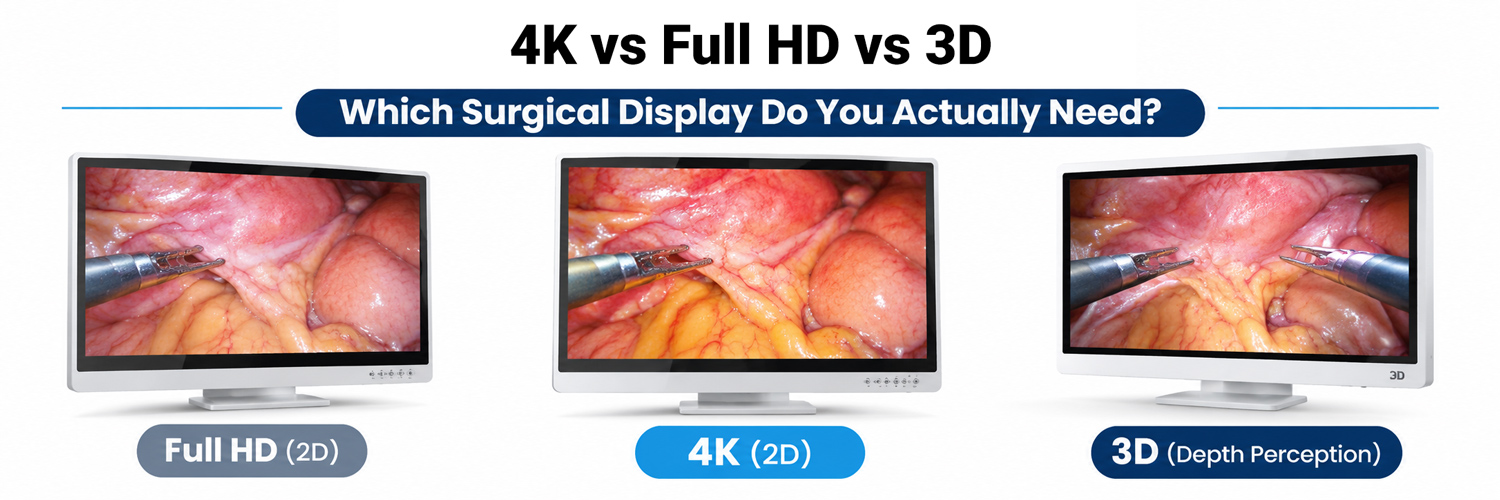
If you are setting up a new laparoscopy tower or upgrading an old one, the monitor is usually the part that gets the most debate. Should you go for 4K? Is 3D worth the extra money? Or is a good Full HD screen still enough?
The honest answer is: it depends on your camera chain. A surgical monitor is only as good as the picture it receives, so match the display to the source. In this guide, we explain the three formats in plain language, show where each one makes sense, and give you a simple checklist so you can buy with confidence.
The one rule to remember: match the display to the camera chain
Before you compare monitors, look at what sits upstream. The picture travels from the laparoscope, to the camera head, to the camera control unit (CCU), and only then to the monitor. The screen can show only what the camera sends it.
This leads to three simple truths:
- A 4K monitor adds very little to an HD camera. It will stretch the HD picture to fill the screen, so you will not gain more detail.
- A 4K camera on a Full HD monitor wastes the camera. The extra detail is scaled down and lost.
- 3D needs a complete 3D system. That means a 3D laparoscope, a 3D camera system, a 3D-capable monitor, and glasses for everyone who needs to see the depth. A 3D monitor alone will not give you 3D.
So, the first question is never “Which monitor is best?” It is “What camera do we have, or what camera are we buying?”
Resolution, screen size, and viewing distance, made simple.
Resolution is the number of tiny dots (pixels) on the screen. Full HD is 1920 × 1080, which is about 2 million pixels. 4K is 3840 × 2160, which is about 8 million pixels. That is four times as many.
But more pixels only help if your eyes can use them. Three things decide that:
- Screen size. On a small screen, you may not be able to tell Full HD and 4K apart. On a large screen, Full HD starts to look soft because the same pixels are spread over a bigger area.
- Viewing distance. The farther you stand, the less fine detail your eyes can pick up. In many OTs, the surgeon is roughly 1.5 to 3 metres from the screen.
- Source quality. As above, the camera sets the ceiling.
A simple way to think about it: the bigger the screen and the closer you sit, the more 4K helps. The smaller the screen and the farther you sit, the less you will notice.
Full HD: still a sensible choice
Full HD is not outdated. Many hospitals run excellent laparoscopy programmes on HD camera systems, and a good Full HD surgical monitor is a reliable, affordable partner for them.
Choose Full HD if you have an HD camera chain, if your screens are 27 to 32 inches, or if you want to put budget into other parts of the OT. Just remember that the monitor’s quality still matters. Two Full HD monitors can look very different in colour, brightness, and clarity.
What 4K adds
4K gives you a sharper, cleaner image, especially when it is paired with a native 4K camera. Here is what you get in practice:
- Finer tissue detail. Edges, small vessels, and surface textures look crisper, particularly on larger screens.
- Room for bigger screens. A 55-inch Full HD screen can look coarse up close. A 55-inch 4K screen keeps its sharpness, which is why large OT and teaching displays are moving to 4K.
- Future-proofing. Many new camera systems are 4K. Buying a 4K monitor now means you will not need to change it when you upgrade your camera later.
The catch: 4K only pays off with a 4K source, and it usually costs more. If you are not changing your camera soon, ask yourself whether you are paying today for a benefit you will only get later.
What 3D adds, and what it costs you
A normal laparoscopy screen is flat. Surgeons work out depth from cues such as shadows, instrument movement, and experience. A 3D system gives each eye a slightly different image, so depth is seen directly. This is mostly of interest for tasks where judging distance matters, such as suturing and fine dissection.
- Glasses. Everyone who wants to see the 3D image needs to wear them. Some surgeons find them uncomfortable over long cases or hard to wear along with loupes or their own spectacles.
- Eye fatigue. Some people feel tired eyes or a mild headache, especially at first. Comfort varies a lot from one person to another.
- Viewing angle. 3D works best when you sit in the right position in front of the screen. Team members standing off to the side may see a poorer image.
- Cost. You are paying for a 3D camera and laparoscope, a 3D monitor and glasses, so the total is higher than for 2D.
- Team view. Assistants, nurses, and observers may see only a flat picture unless they all wear glasses.
Other things that matter as much as the format
Colour accuracy. In surgery, colour helps you tell tissues apart. Look for a monitor that is factory-calibrated, holds its colour steadily over time, and looks the same from one unit to the next. This is especially important if you have two monitors in the same room.
Latency. This is the small delay between what the camera sees and what appears on screen. Instruments should move on screen at the same moment your hands move. Ask the supplier for the monitor’s latency figure and, better still, judge it yourself in a live demo.
HDR. HDR can show a wider range between the brightest and darkest parts of the image, which can help with shiny surfaces and shadowed areas. But it only works if your camera system sends an HDR signal. If it does not, you will not see any benefit, so do not pay extra for it by default.
Inputs: what ports should the monitor have?
The monitor must be able to connect to your camera or video processor. The common options are:
- 12G-SDI. The professional standard in the OT. A single cable can carry a 4K picture, and the connection is locked and dependable.
- HDMI. Common and easy to find, but the plugs can come loose, so check how securely the cables are fixed.
- DisplayPort. Used by some systems, especially when a computer or workstation is feeding the screen.
Before you order, check your camera’s output and make sure the monitor matches it. It is also useful to ask for loop-out or extra outputs if you want to send the image to a second screen or a recorder.
Safety and build quality
A surgical monitor is not an office monitor with a different label. Look for these basics:
- IEC 60601-1. This is the international safety standard for medical electrical equipment. Ask for the compliance details, not just a claim.
- A sealed, flat front. A one-piece glass front with no gaps is easier to wipe down and cleaner for the OT. Check which disinfectants the maker approves for the surface.
- Fanless or quiet design. Less noise and less dust moving in the room.
- Reliable service. Ask who will handle repairs and how fast, because a monitor that is down means a delayed list.
Mounting: boom, arm, or tower
How the monitor is mounted affects how well you can use it. Think about this at the start, not at the end.
- Laparoscopy tower. The most common choice. Screens of around 27 to 32 inches fit well here, and the surgeon can adjust the height and tilt.
- Ceiling boom. Keeps the floor clear and allows you to place the screen exactly where you need it. This is common in modern integrated OTs.
- Wall or arm mount. Useful for larger screens, second screens for the team, or teaching.
Check the weight of the monitor, the mounting standard (VESA), and the cable route before you decide.
Quick comparison table
| Format | What else you need | Best for | Pros | Cons | Relative cost |
| Full HD (2D) | HD camera and laparoscope | Everyday laparoscopy, budget-conscious OTs, small to medium screens | Proven, widely supported, lowest cost | Looks soft on very large screens; less future-proof | Lowest |
| 4K (2D) | 4K camera and laparoscope for the full benefit; 12G-SDI or HDMI inputs | Larger screens, new OT builds, hospitals planning to upgrade cameras | Sharper detail, works well at larger sizes, future-ready | Little gain with an HD camera; higher cost | Medium to high |
| 3D (HD or 4K) | 3D camera and laparoscope, 3D-capable monitor, glasses for each viewer | Complex suturing and dissection work where depth matters, and where surgeons are keen to use it |
The “match your camera” checklist
Print this out and take it to your next purchase meeting.
- What is our camera output: Full HD, 4K, or 3D?
- Does the monitor’s native resolution match it?
- Does the monitor have the right input (12G-SDI, HDMI, or DisplayPort) for our camera?
- Do we have, or are we buying, the right cables for that input?
- If we want 3D, do we have a 3D camera, a 3D laparoscope, and enough glasses for the team?
- Are we planning a camera upgrade in the next two to three years?
- Does the monitor carry IEC 60601-1 compliance, and do we have the paperwork?
- Is the front sealed and approved for our disinfectants?
- Have we checked latency and colour in a live demo with our own camera?
- Does the mounting (tower, boom or arm) suit the weight and size of the screen?
- Who will provide service and support after the sale?
Screen size guide: 27, 32, or 55 inch?
These are practical starting points. Your room and your procedures may call for something different.
- 27 inch. Good for compact towers, smaller OTs, and viewing at a shorter distance. A solid choice for Full HD systems.
- 32 inch. The most popular all-round size for a standard laparoscopy tower. It gives a comfortable picture at typical working distances, and is a sweet spot for both Full HD and 4K.
- 55 inch. Best for larger OTs, boom or wall mounting, and team or teaching views. At this size, 4K is strongly recommended because Full HD will look coarse.
If you are unsure, ask for a live demo in your own OT. How a screen looks in your room beats any specification sheet.
Frequently asked questions
Is 4K worth it for laparoscopy?
It is worth it if you have, or plan to buy, a 4K camera system, or if you want a larger screen such as 32 or 55 inches. If your camera is HD and you are not changing it soon, a good Full HD monitor may serve you well, and the savings can go elsewhere.
Can I connect a 4K monitor to my HD camera?
Yes, most 4K monitors will accept an HD signal and scale it up. The picture will fill the screen, but it will not show more detail than the camera captured. Check that the monitor has the right input for your camera.
Do 3D surgical monitors need special glasses?
Yes. Everyone who wants to see the 3D effect needs to wear glasses. You will also need a 3D camera system and laparoscope, since the monitor alone cannot create 3D from a flat image.
What size monitor should I choose for an OT? For a standard laparoscopy tower, 27 to 32 inches is the usual range, with 32 inches being the most common. For larger rooms, boom mounting or team viewing, 55 inches with 4K resolution is a better fit. Your viewing distance and room layout should make the final call.
